BonyFace
facial animation system for 3ds max
works in 3ds max 2008 and up
Basic tools are free and available for everybody Extended tools only for authorized users
Features Tutorials Gallery Download Help Contact Buy
2Checkout.com is a worldwide leader in online payment services You can purchase BonyFace 3.1 through 2Checkout.com
2Checkout.com, Inc. (Ohio, USA) is an authorized retailer of tools provided by scriptattack.com
COGITO SOFTWARE CO.,LTD You can purchase BonyFace 3.0 in China through COGITO SOFTWARE
COGITO SOFTWARE CO.,LTD (Beijing, China) is an exclusive distributor of BonyFace 3.0 in China.

NOTE: Please try BonyFace Basic tools BEFORE purchasing and make sure that basic tools are appropriate to your needs. Also you may try 10 free sessions of the Drive Tool.

Full BonyFace 3.1 (1.81 MB): 2 licences + free future upgrades to new versions of BonyFace + oRigIn (when it will be ready).

Full BonyFace 3.1 (1.81 MB): 1 licence + free future upgrades to new versions of BonyFace.

Besides, there are several different options to purchase, full BonyFace was split up, now you are able to buy only tools you need:

Adjust Splines Tool (video) NEW in BonyFace 3.1
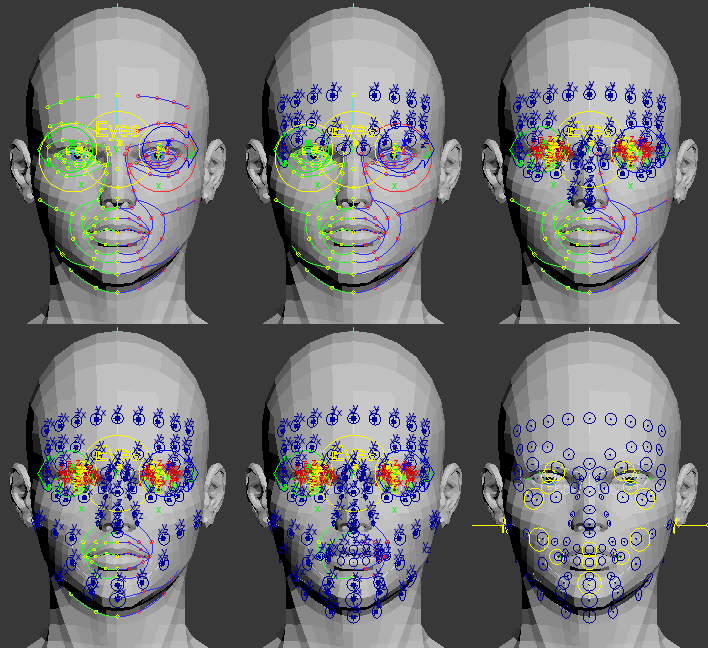
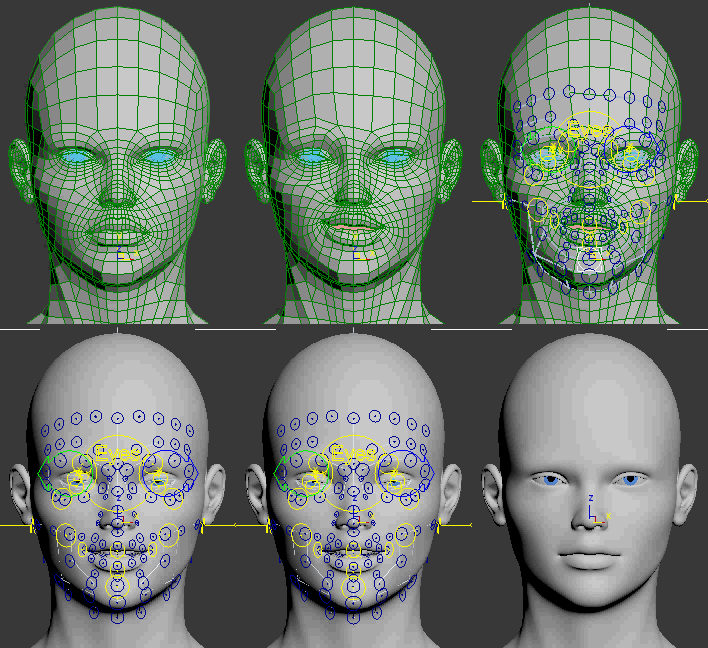
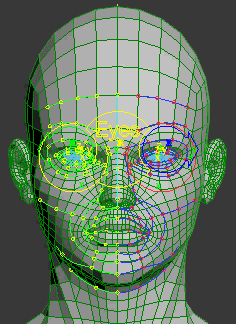
Adjust splines to fit your headmodel. Many powerful options like: draw splines directly on a head, move joint to nearest vertex, take edges as a base for splines and more. Time needed by spline phase is greatly decreased with this tool.

Selector Tool (video)
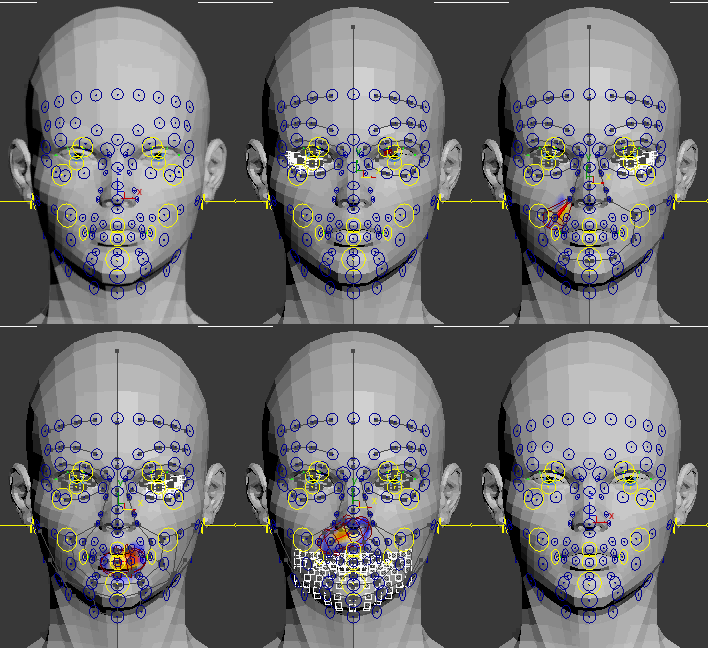
Select/move any control, even if the control is hidden, actually you don't need to select any control in the viewport in most cases. Select oppposite, swap sides, mirror selection and etc.

Face Tool
Select/move some main controls. Move opposite controls together or apart using Ctrl, Alt and Shift keys. There are some comfortable and useful tools to manipulate with mouth controls.

Drive Tool (video)
Save, load, browse and apply facial poses, phonemes and animations. Create Normal layers, change the weights of layers and/or controls in the layers. This is most important and powerful tool.

Control Weights (optional feature)
Extend UI to easily change weight of the controls.

Note: Drive Tool required
Grimace Mode (optional feature)
Extend UI to interactively mix up to 8 poses, save and load grimace presets.

Note: Drive Tool required
Mixer Mode (optional feature)
Extend UI to browse poses, mix up to 10 poses simultaneously.

Note: Drive Tool required
Importer (optional feature)
Extend UI to import poses, phonemes and animations from one character to another.

Note: Drive Tool required
AutoBlink Layer (optional feature)
AutoBlink layer periodically applies the poses, so you can use it to make any repeatedly animation, such as blinking, breathing, laughing and etc.

Note: Drive Tool required
Mocap Layer (optional feature)
Mocap layer can transfer mocap animation from any mocap-cloud to 3D-Face. It is possible to interactively adjust movement of the controls at any frame. It is possible to transfer animation from BVH-models (such model is automatically created by BonyFace when user loads BVH-file). BVH-files created by Zign Track are supported

Note: Drive Tool required
LipSync Layer (optional feature)
Lipsync layer allows you load audio, type text and use phonemes to create and edit animation of speaking character (any language)

Note: Drive Tool required

Get your character "bonyfaced"
If you don't want or don't have time to rig/skin/setup your character in BonyFace and prefer to start animation as fast as possible then mail to scriptattack.com@gmail.com and i'll do this job for you. Price and time to perform this task depends on 3D-face complexity (model symmetry, mesh quality, scene requirements). Usually i need from 30 min to 3 hours.
Price starts from $50
How to fast start with BonyFace
Every customer, who would buy 3 or more extended tools will get an above service from developer of BonyFace himself. Also you will get .bfs and .bfr files for your character, so it would be possible to re-rig and setup this 3D-face at any time by anybody.
Facial rig, skin and setup
of 1 character for free


If you have some questions or need more information - mail to scriptattack.com@gmail.com and i'll give you all details.

Authorization Process and updates to new versions
1. I shall send archive with BonyFace to buyer's mailbox immediately after confirmation of the purchase
2. The user installs BonyFace and sends Request-code(s) generated by the script to scriptattack.com@gmail.com
3. Authorization-code(s) is sent to the buyer's email
4. The user authorizes BonyFace with the received code and the script becomes fully operational
5. The codes are generated only for the computer and the version of 3ds max, where to install BonyFace. Be careful and accurate
6. If necessary, the new code can be sent to the buyer (upon request), but not more frequently than once every three months
7. After any new release I shall send new version of BonyFace to all authorized users, who already bought full version and wants to update
8. After update, authorized user gets one new code at once and another new code upon request at every three months as usual


Refund Policy
If you are not satisfied and unhappy with BonyFace or if you can’t use it for some reason, you can request a refund. We will provide refunds to any reasonable request.

BonyFace is used in (in order of delivery):
Mozambique, Kazakhstan, Israel, Australia, Denmark, Sweden, Macedonia, France, Italy, Russia, Germany, Japan, China, Hong Kong, Poland, New Zealand, Norway, Ukraine, USA, Peru, UK, Canada, Malaysia, India, Iraq, Turkey.


ßíäåêñ.Ìåòðèêà